
How to Download and Install the SCEX Mobile App (iOS & Android)
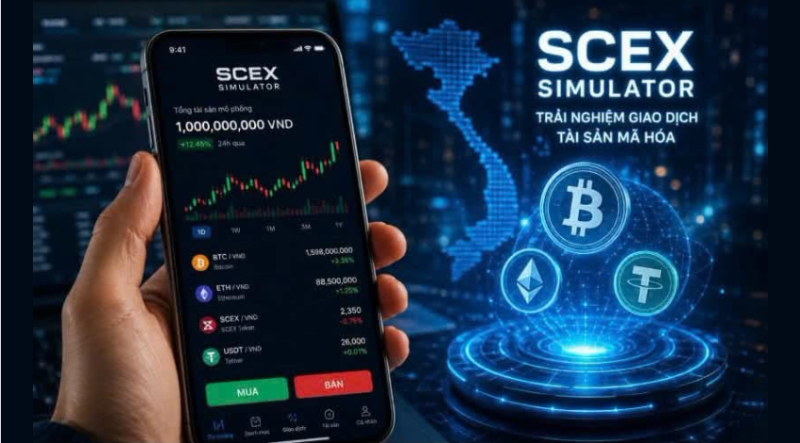
As Vietnam’s regulated digital asset market pilot progresses, the official mobile application developed by Sacom Crypto Asset Exchange Joint Stock Company (SCEX) continues to draw significant attention from domestic and regional investors. Currently, the official client listed on major app stores is SCEX Trading Simulator—an educational and hands-on simulation app that lets users practice spot order matching with zero financial risk while live public trading awaits final operating license approval from Vietnam’s Ministry of Finance.
1. How to Download & Install on iOS (iPhone / iPad)
Check System Compatibility
Ensure your iPhone or iPod touch is running iOS 15.1 or later. Users on Apple Silicon Macs (M1 chip or later) can also run the compatible version on macOS 12.0 or later.
Search on the Apple App Store
Open the App Store on your device, tap the Search tab, and enter the exact title SCEX Trading Simulator.(Note: Because the app targets Vietnam’s pilot market, users signed into non-Vietnamese Apple IDs who do not see the listing in search results may need to switch their App Store region to Vietnam.)
Verify Developer Details and Install
Open the app listing, verify that the provider is listed as SACOM CRYPTO ASSET EXCHANGE JOINT STOCK COMPANY (file size approximately 59.5 MB), and tap Get (Nhận) to install via Face ID, Touch ID, or your Apple ID password.
2. How to Download & Install on Android
Open the Official Google Play Store
Ensure your Android device has Google Play Services enabled, launch the Google Play Store, and type SCEX Trading Simulator into the top search bar.
Confirm Official Developer & Support Contact
Select the listing published by SACOM CRYPTO ASSET EXCHANGE JOINT STOCK COMPANY (official support email: contact@scex.com.vn).
Install and Launch
Tap Install and allow Google Play to download and verify the package. Once installation completes, tap the SCEX icon on your home screen to register via email or mobile phone number.
3. Essential Installation Security Reminders
- Avoid Third-Party APK Files: Never install .apk files or iOS enterprise configuration profiles distributed via Telegram, Zalo groups, or external websites, as these carry severe malware and credential-theft risks. Always download directly from the Apple App Store or Google Play Store.
- Beware of Fake Deposit Prompts: SCEX explicitly states in its store disclosures that SCEX Trading Simulator is strictly for educational and simulated trading practice and does not support real-money fiat or cryptocurrency deposits. Any app or individual soliciting real funds under the SCEX name is fraudulent. (Vietnam Crypto Exchange)